Skip to content

See GPU memory before it breaks your training.

Stormlog is an open-source profiler that gives PyTorch, TensorFlow, and JAX teams real-time GPU memory visibility, leak detection, diagnostics, and exportable timelines across CLI, Python API, and Textual TUI workflows — now with inference endpoint profiling.

Stormlog overview
Works withPyTorchTensorFlowJAXOpenAI-compatible inferenceCLIPython APITextual TUIJSON exportCSV exportHTML reports

A product surface built around real debugging pressure.

The goal is not just to collect numbers. Stormlog helps teams see GPU memory as it shifts, isolate signals worth acting on, and move from guesswork to repeatable workflow.

Watch memory shift while training is still running.

Track allocation, peak usage, and reserved memory in one place instead of stitching together shell commands and printouts.

Real-time monitoring

Follow GPU allocation as it changes mid-epoch, not after the crash report lands.

Threshold alerts

Apply warning and critical limits so risky runs surface immediately instead of after hours of wasted compute.

Interactive TUI

Inspect platform info, live tracking, exports, and diagnostics without opening a browser.

Pinpoint growth patterns before they become OOM crashes.

Move from vague symptoms to concrete signals you can act on, including suspicious allocation growth and distributed anomalies.

Leak detection

Identify suspicious growth patterns and isolate where memory starts drifting run over run.

Artifact diagnostics

Load exported snapshots and compare them later to trace distributed or intermittent issues with context intact.

Timeline views

Generate timeline plots and HTML artifacts to show how memory behaved across the full workload.

Fit Stormlog into the stack you already have.

Adopt the profiler incrementally — from quick CLI sessions and deeper Python instrumentation in training code, to load-driven profiling of OpenAI-compatible inference endpoints.

CLI automation

Start monitoring or diagnostics sessions from the terminal without reworking your whole training loop.

Python hooks

Use decorators, context managers, and programmatic sessions when you need tighter profiling control.

CPU-compatible workflows

Prepare and test profiling routines before moving them onto production GPU infrastructure.

Inference endpoint profiling

Drive controlled load against any OpenAI-compatible Chat Completions endpoint and capture latency, throughput, and device-memory results.

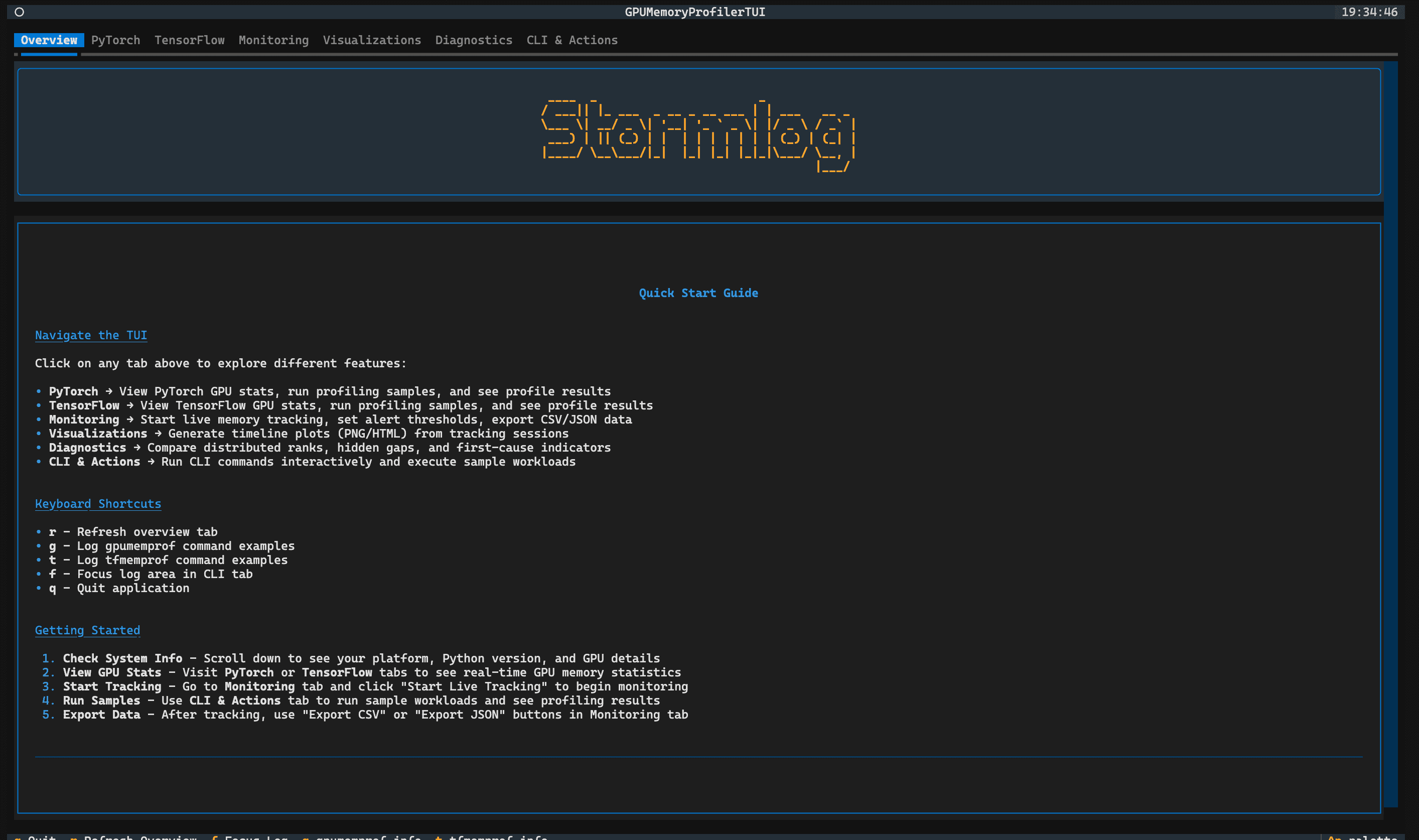
A terminal-native workspace that still feels like a product.

Monitoring controls, visualization exports, diagnostics, and CLI-driven actions in a single interface.

Quick startOverview
Overview

Overview

Orient new users with platform details, keyboard shortcuts, and a fast path into every Stormlog surface.

Profile what your serving stack actually delivers.

The stormlog infer command group drives controlled load against OpenAI-compatible Chat Completions endpoints and reports the numbers you need to size, tune, and compare deployments.

vLLMSGLangTensorRT-LLMMLX-LMHosted gateways
  • Latency percentiles

    End-to-end latency and TTFT percentiles for both streaming and non-streaming responses.

  • Throughput under load

    Requests/sec, output tokens/sec, and total tokens/sec under configurable concurrency.

  • Accurate token accounting

    Server usage metadata with a tokenizer fallback so token counts stay trustworthy across providers.

  • Peak device memory

    Peak sampled device memory captured when system telemetry is available alongside latency and throughput.

Read the inference docs
stormlog infer · OpenAI-compatible
bash
stormlog infer profile \
  --base-url http://localhost:8000/v1 \
  --model Qwen/Qwen2.5-7B-Instruct \
  --concurrency 1,4,8 \
  --input-tokens 512,2048 \
  --requests 50 \
  --output artifacts/infer.jsonl

Instrument, observe, diagnose, export, optimize.

Integrate Stormlog, watch a run live, capture useful evidence, and apply fixes before the next training cycle wastes more GPU time.

01

Instrument

Add Stormlog to the workload you care about, from lightweight decorators to deeper session-based profiling.

step 01
from stormlog import GPUMemoryProfiler

profiler = GPUMemoryProfiler()

def train_epoch(model, dataloader):
    for batch in dataloader:
        loss = model(batch)
        loss.backward()

profiler.profile_function(train_epoch)
02

Observe

Launch the TUI or a CLI session to watch allocation, peak memory, and alerts while the training run is alive.

step 02
$ gpumemprof track --duration 30 --interval 0.5 --output run.json --format json

# Illustrative live readout
Allocated  16.2 / 24.5 GiB
Peak       19.8 / 24.5 GiB
Alerts     None
03

Diagnose

Inspect spikes, suspicious growth, and anomaly indicators before the next restart cycle begins.

step 03
[WARN] suspicious growth detected
tensor: grad_cache
change: +128MB over 50 iterations
signal: growth beyond threshold
04

Export

Ship artifacts into CI, review threads, or follow-up debugging sessions instead of relying on memory alone.

step 04
$ gpumemprof analyze run.json --format txt --output analysis.txt
$ gpumemprof diagnose --duration 5 --output ./diag

# Artifacts: run.json, analysis.txt, ./diag/report.json
05

Optimize

Use the evidence to fix leaks, restore the intended batch size, and avoid repeat OOM failures in future runs.

step 05
Before: OOM at batch_size=64
After: batch_size=64 stable again
Peak allocated: 2.04 GB → 0.09 GB

✓ 50 epochs completed
✓ zero OOM interruptions

Reactive debugging vs. instrumented visibility.

Drag the divider to compare guesswork against a workflow with live monitoring, anomaly signals, and exported evidence.

With Stormlogillustrative session

$ gpumemprof track --duration 30 --interval 0.5 --output run.json --format json

Allocated 16.2 / 24.5 GiB

Peak 19.8 / 24.5 GiB

✓ live alerts enabled

[WARN] suspicious growth detected

signal: grad_cache +128MB

reason: repeated growth over threshold

✓ export diagnostics artifact

After fixing the leak

batch_size = 64 ✓ stable again

peak allocated: 2.04 GiB → 0.09 GiB

zero OOM interruptions across 50 epochs

Without Stormlogillustrative session

$ python train.py

Epoch 9/50... training

Epoch 10/50... training

RuntimeError: CUDA out of memory while allocating 2.4 GiB

$ nvidia-smi

| 23476 MiB / 24564 MiB |

Which tensor grew? Which step spiked?

Fallback strategy

batch_size = 64 → OOM

batch_size = 32 → unstable

batch_size = 16 → slow but survives

What's new in Stormlog

Release notes v0.4.3Oct 27, 2026

Stormlog 0.4.3 adds inference diagnostics, SLO comparison, MLX support, and OpenTelemetry export. Compare inference runs, diagnose performance regressions, and export metrics and traces to observability backends.

Diagnose and compare inference run performance

New infer diagnose and infer compare commands identify slow windows in inference artifacts and compare two runs to detect regressions. Capture server metadata and verify runs are comparable before analysis.

  • Run infer diagnose to explain slow windows with incident evidence
  • Compare two inference arms with infer compare for A/B testing
  • Verify server descriptions and run comparability before analysis
  • Score qualification against injected ground truth for fault injection
  • Run inference experiment plans on fresh verified servers
bash
# Diagnose slow windows in an inference artifact
stormlog infer diagnose --root ./watch --artifact run1.msgpack

# Compare two inference runs to detect regressions
stormlog infer compare --root ./compare --artifact-a run1.msgpack --artifact-b run2.msgpack


Read the docs

Export metrics and traces to observability backends

Stormlog now exports Prometheus metrics during inference profiling and sends spans to OpenTelemetry collectors or files. Monitor inference server health and correlate profile data with external observability platforms.

  • Export Prometheus metrics while inference profiles run
  • Send spans to OpenTelemetry collector or file for trace analysis
  • Report collect-server health to Prometheus for monitoring
  • Bounded export building blocks for extensibility
  • Hardened span close and service identity tracking
bash
# Profile inference with Prometheus metrics export
stormlog infer watch --root ./watch --base-url http://127.0.0.1:8000 --prometheus-url http://127.0.0.1:9090

# Send spans to OpenTelemetry collector
stormlog infer watch --root ./watch --base-url http://127.0.0.1:8000 --otel-endpoint http://127.0.0.1:4317
Read the docs

Profile MLX inference with Metal acceleration

New MLX framework support adds lazy Metal runtime profiling, CLI capture, and TUI integration. Profile text and audio inference on Apple Silicon with full artifact analysis.

  • Lazy Metal runtime profiling and passive session tracking
  • CLI capture and offline analysis for MLX inference
  • Text and audio profiling with scoped server evidence
  • TUI integration for artifact browsing and analysis
bash
# Capture MLX inference profile with Metal acceleration
stormlog infer capture --framework mlx --model meta-llama/Llama-2-7b-chat --root ./mlx-profile

# Analyze captured MLX artifact
stormlog infer analyze --artifact mlx-profile/artifact.msgpack
Read the docs

Reduce inference artifact size with compact contexts

Inference contexts are now compacted to significantly reduce artifact disk footprint while preserving diagnostic information for slow-window analysis and comparison.

  • Compact inference contexts to reduce storage overhead
  • Maintain full diagnostic capability for diagnosis and compare
  • Measured savings documented on production audit workloads
bash
# Profile inference; artifacts use compact contexts automatically
stormlog infer watch --root ./watch --base-url http://127.0.0.1:8000

# Verify artifact size reduction
ls -lh watch/artifacts/
Read the docs

Credibility comes from the repo, the docs, and the people shipping it.

Stormlog's proof is the public codebase, the published package, the documentation footprint, and the maintainers who keep the project moving.

Maintainers

Core maintainers who set direction, review changes, and keep Stormlog production-ready.

Contributors

Everyone who has shipped code to the repository, synced live from GitHub.

Questions, ideas, or a workload we should profile?

Open a discussion on GitHub so the answer stays searchable for the next person with the same question. For anything that does not belong in public, email a maintainer directly.

Trace memory, profile inference, and keep training runs stable.

Use the docs to get started, inspect the repository, or install Stormlog from PyPI for your next training run or inference benchmark.